How to Get an OpenAI API Key (Super Simple)
You only need to do this once. After that, you paste the key into Koshsi and you’re ready. This guide is written to be simple and calm — no technical knowledge needed.
Step-by-step (follow in order)
Take it slowly. If you make a mistake, you can simply go back and try again.
-
Open the OpenAI platform websiteEasy
In your browser, go to the OpenAi Platform (the place where API keys are managed). If you’re unsure, Google: OpenAI platform API keys
-
Sign in (or create an account)1–3 minutes
If you already have an OpenAI account, sign in. If you don’t, click Create account and follow the prompts.
-
Open “API keys”Click once
Find API keys in the dashboard and open it.
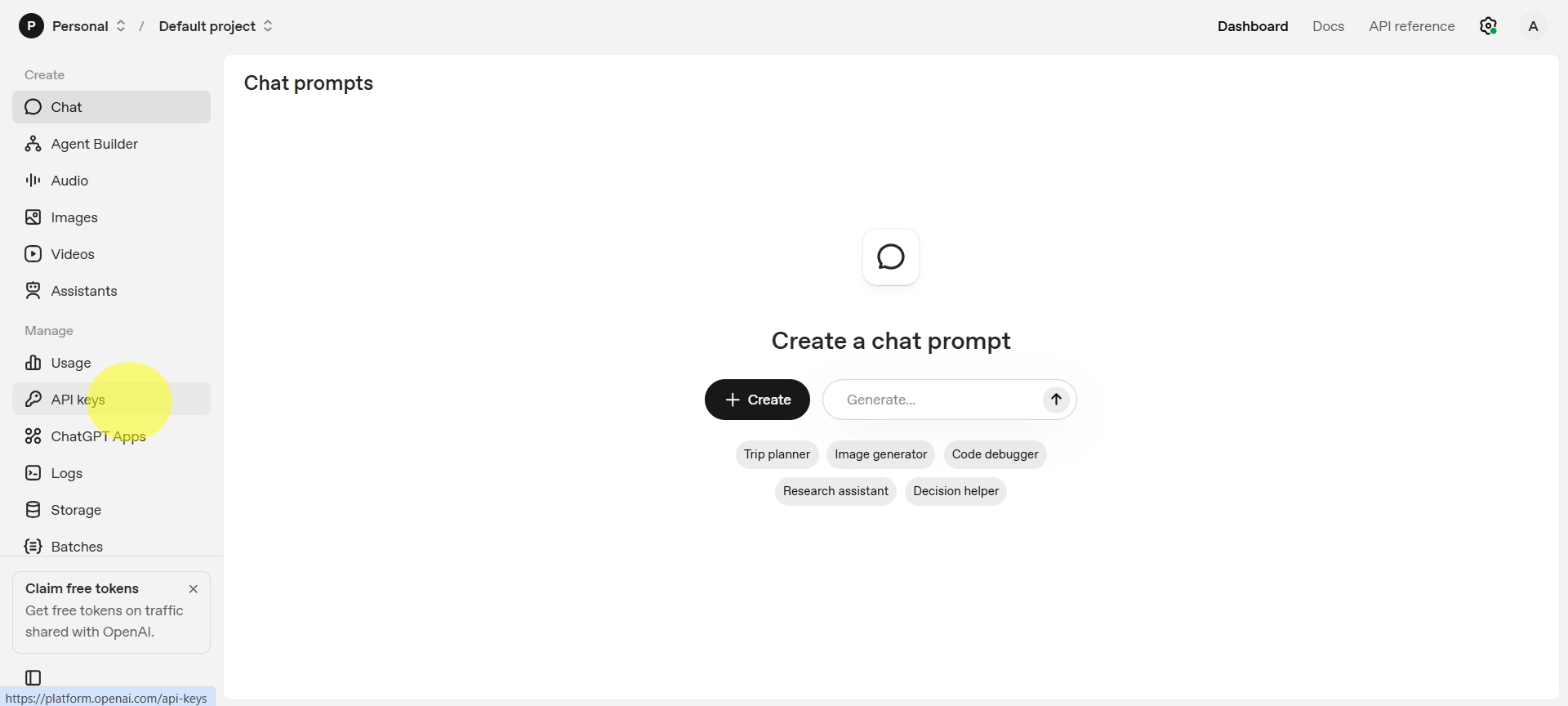 Tip: Click the image to enlarge.
 -
Click “Create new secret key”Important
Click Create new secret key. A key will appear (it often starts with sk-).
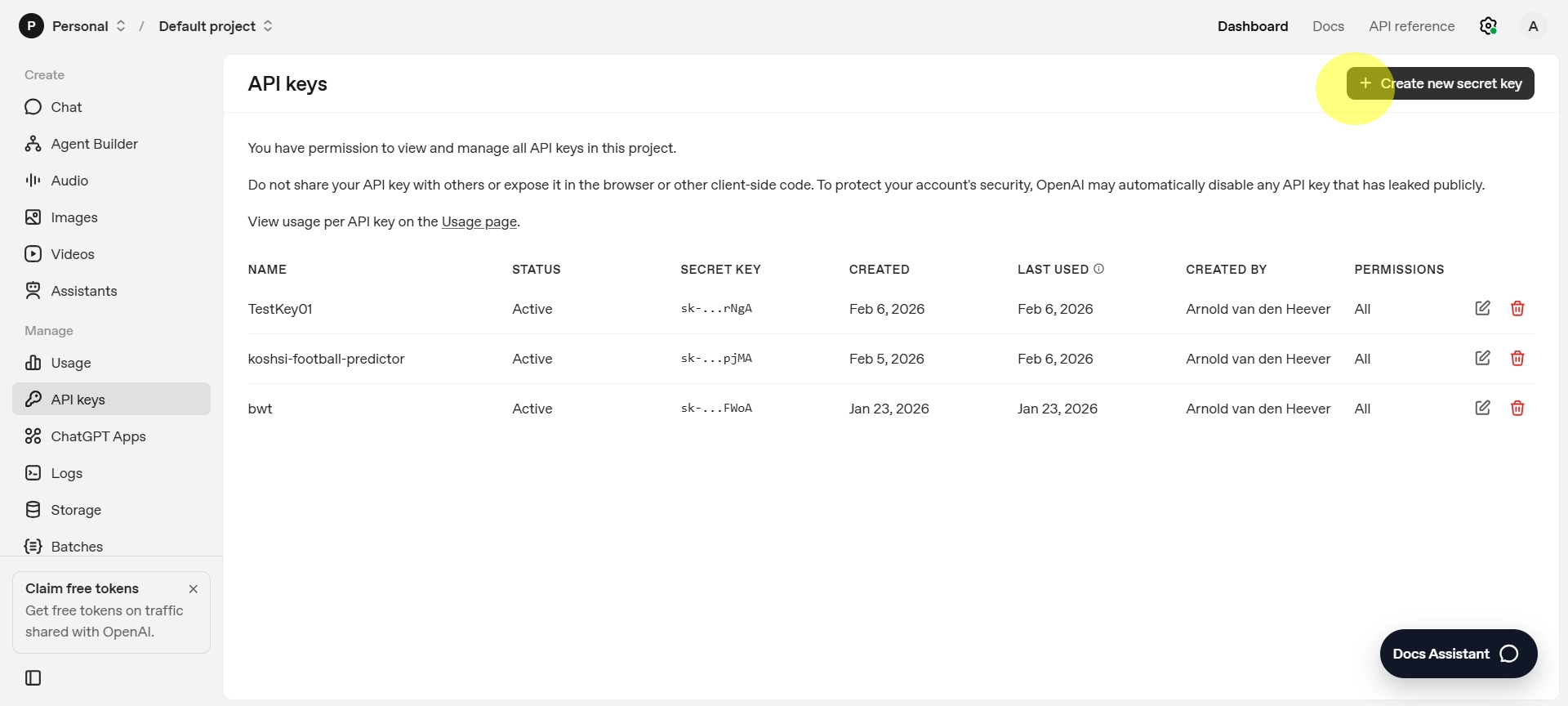 Tip: Click the image to enlarge.
 -
Copy the key and keep it safeDo not share
Copy the key exactly as it appears. Save it somewhere private for a moment, because you may not be able to see it again later.
Example format (NOT real): sk-************************************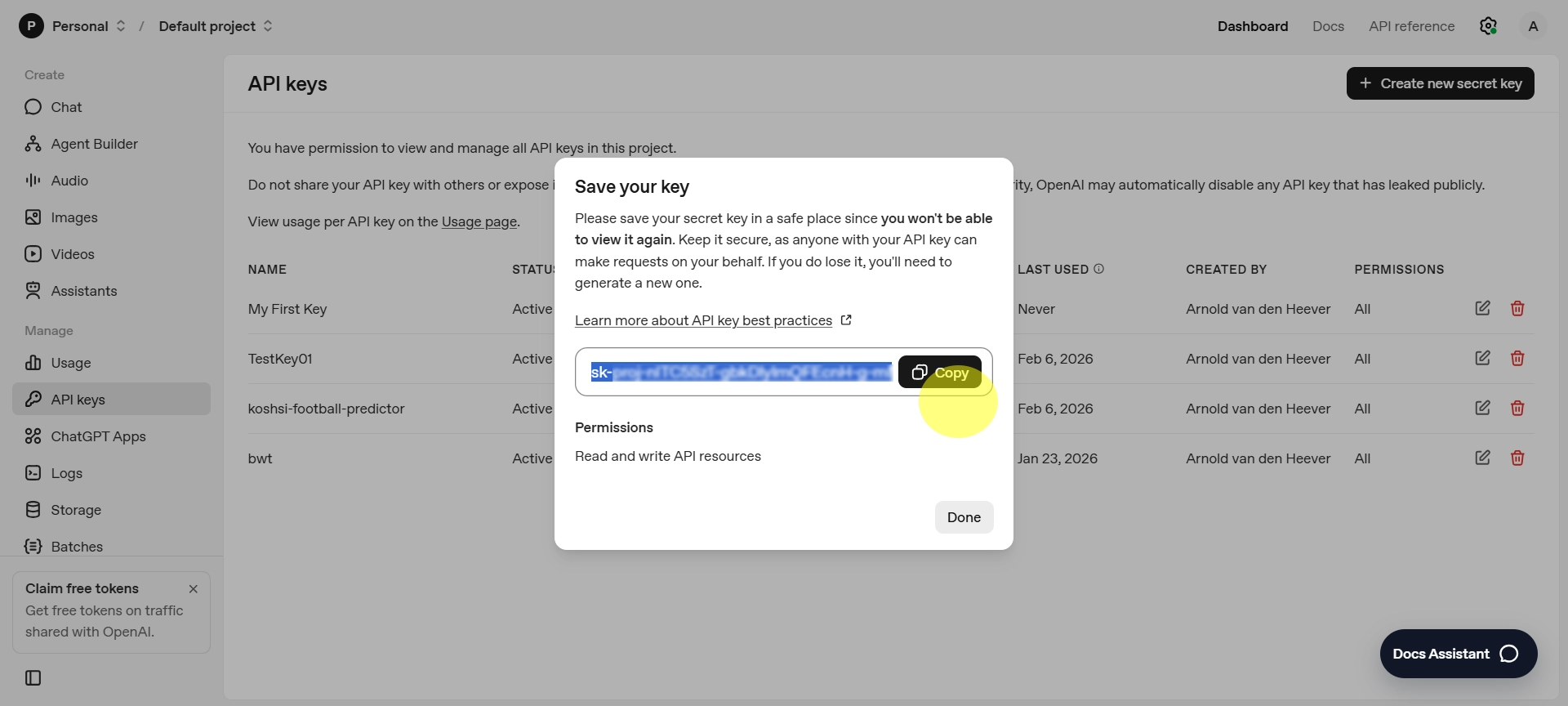 Tip: Click the image to enlarge. (Never share your real key.)
 -
Paste the key into KoshsiOne time
Go back to the Koshsi Football Predictor. Click the API Key button, paste your key, and click Save. The button should turn green when your key is set.
-
Run a test predictionYou’re done
Pick a match and click Predict. If you get results, everything is working. If it doesn’t work, re-copy your key (no missing characters, no extra spaces).
Troubleshooting (very simple)
If something goes wrong, it’s usually one of these: